Attendee App
Install the Global NaaS Events App from Mplify and start networking!
Installing the App:
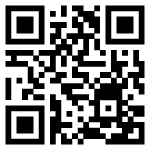
Get the app for:
Using the App:
When you are in the Event, you will see several main buttons:
- Attendees: See who is attending the Summit with you and network.
- Sponsors: Our sponsors by level.
- Agenda: View the latest schedule for the week.
- My Schedule: Build your own schedule from the main agenda.
- Messages: Message other attendees.
- Install the Mplify Events app.
- Select “Mplify Member Summit – Americas” and enter the name and email you used to register for the Summit.
- You will receive a code by email or text.
- Setup your profile and enjoy the event!